Understanding and engaging with legislation (Equality – Digital Accessibility)
Statements here should show how relevant legislation, has influenced your work. You are not expected to have expert knowledge of all of these areas, but are expected to be aware of how they relate to your current practice. In the UK you would be expected to demonstrate how you work within the context of relevant legislation such as:
✓ Equality incl. accessibility including special educational needs
✓ Intellectual property (IPR)
✓ Freedom of Information (if you work for a public body)
✓ General Data Protection Regulation (GDPR)
✓ Child protection
✓ Anti-discrimination law
✓ Points Based Immigration System (PBIS)
✓ Other related examples
In your country there may be different requirements, and you should indicate this in your portfolio. It is suggested that you pick at least two areas to discuss.
CMALT Guidance 2019
Description
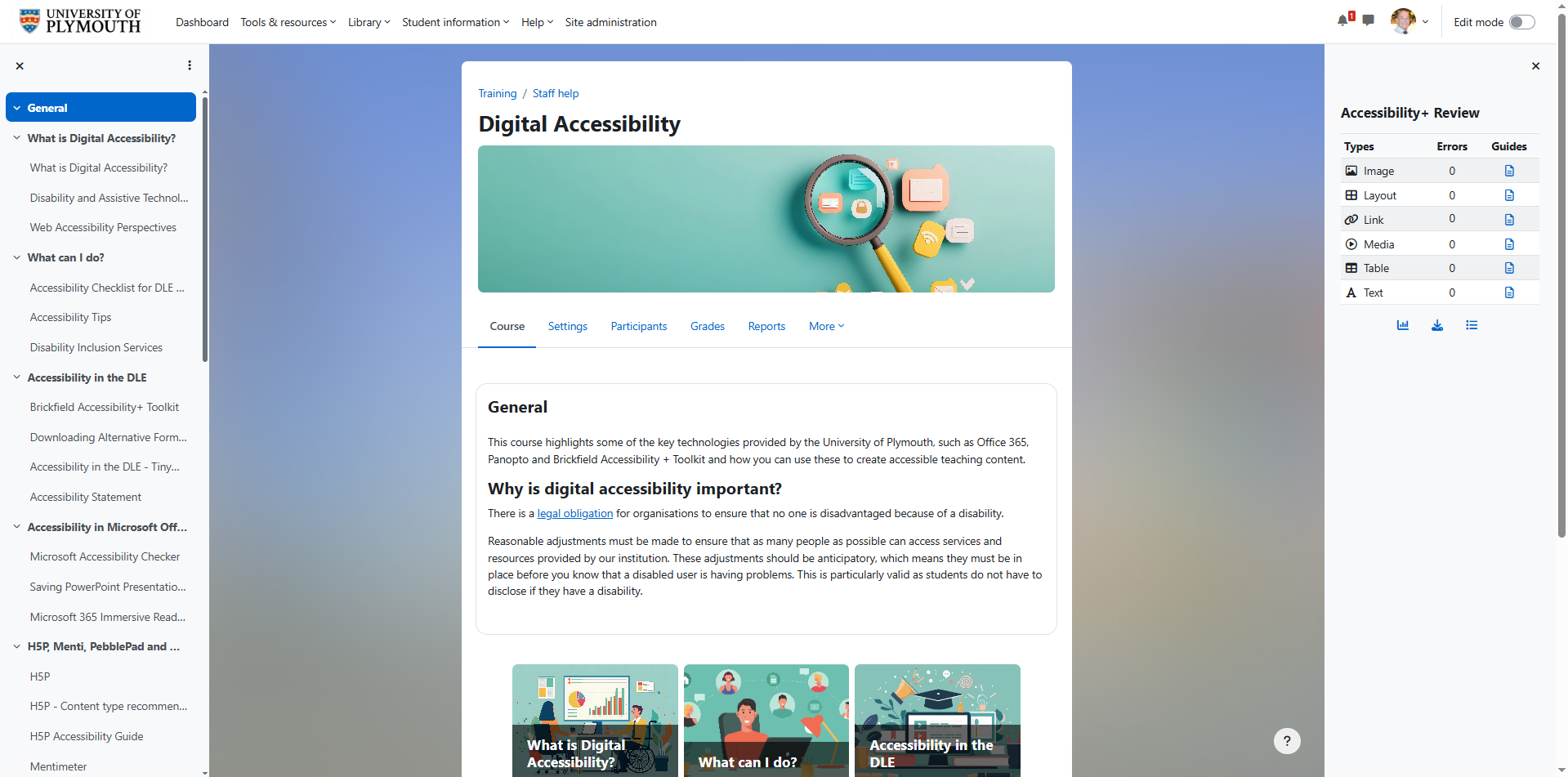
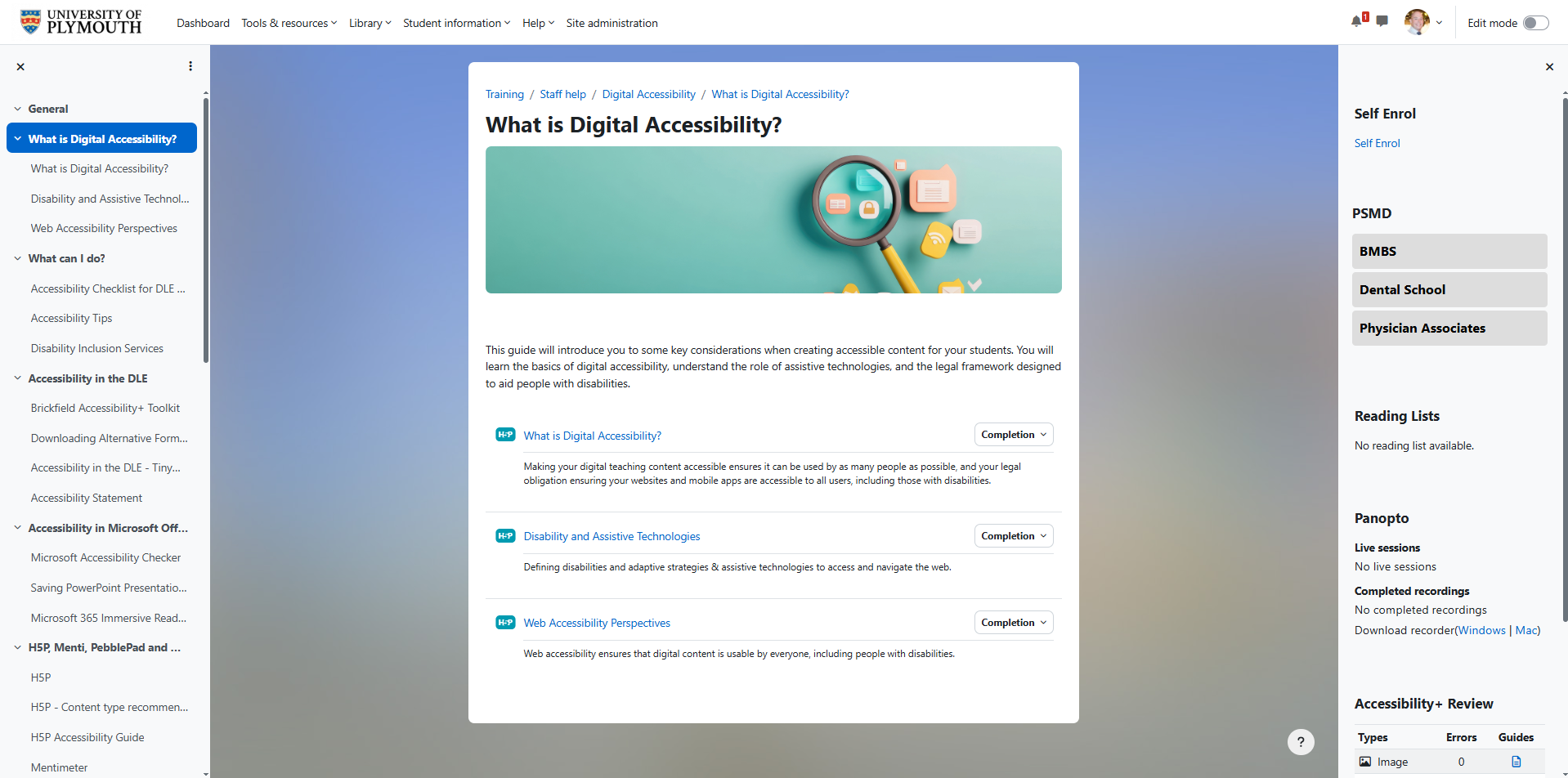
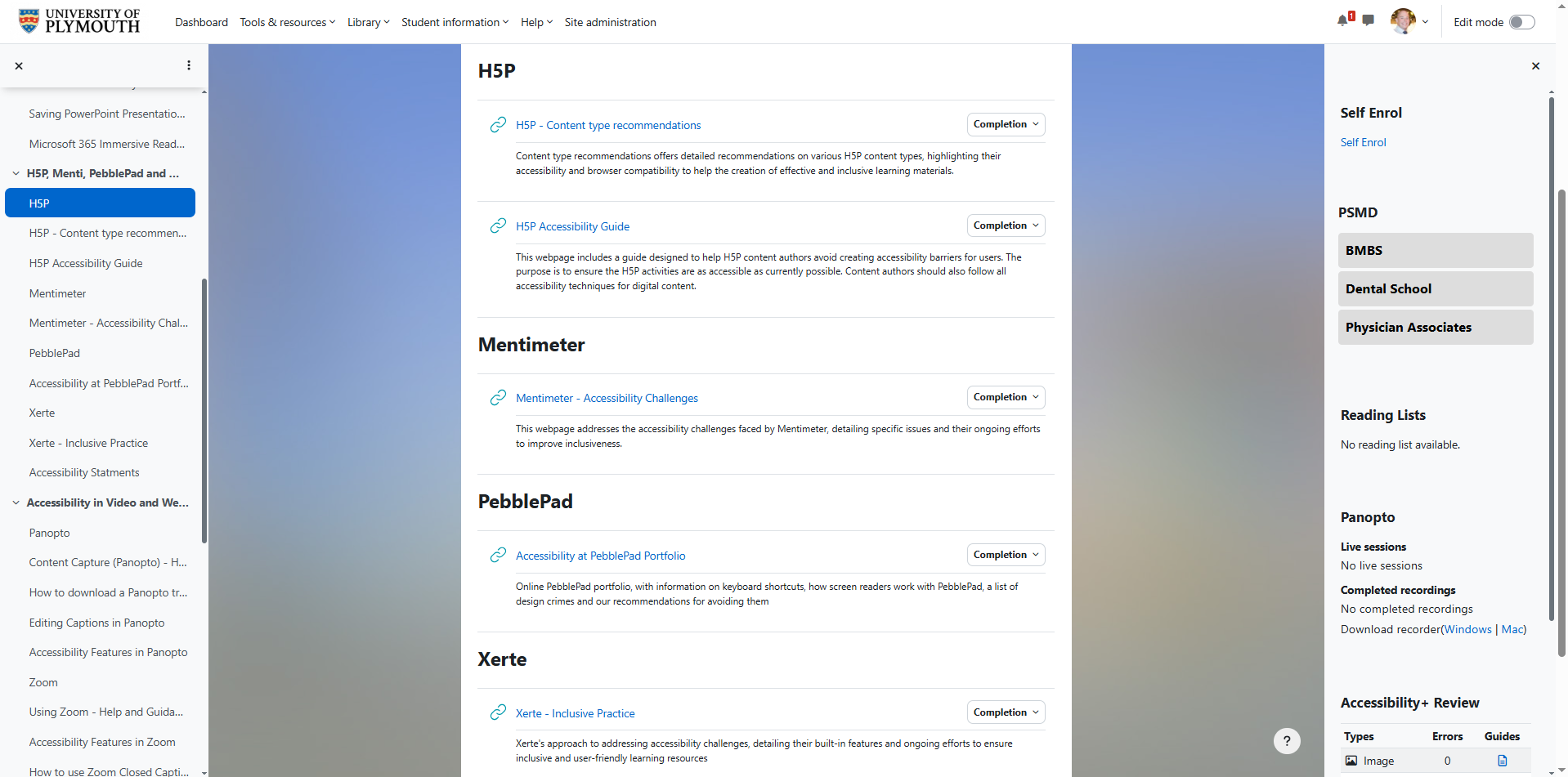
In my role, I have been actively involved in promoting and supporting digital accessibility across the University of Plymouth. One of the most significant projects I co-developed was a self-paced Digital Accessibility course for academic and professional staff. This course is designed to improve awareness and application of accessibility best practices across digital learning environments. It covers platforms such as Moodle, Panopto, Microsoft Office 365, Xerte, H5P, Mentimeter, PebblePad, and Zoom, with the aim of ensuring all learning materials and activities are proactively accessible 🟡CP2.
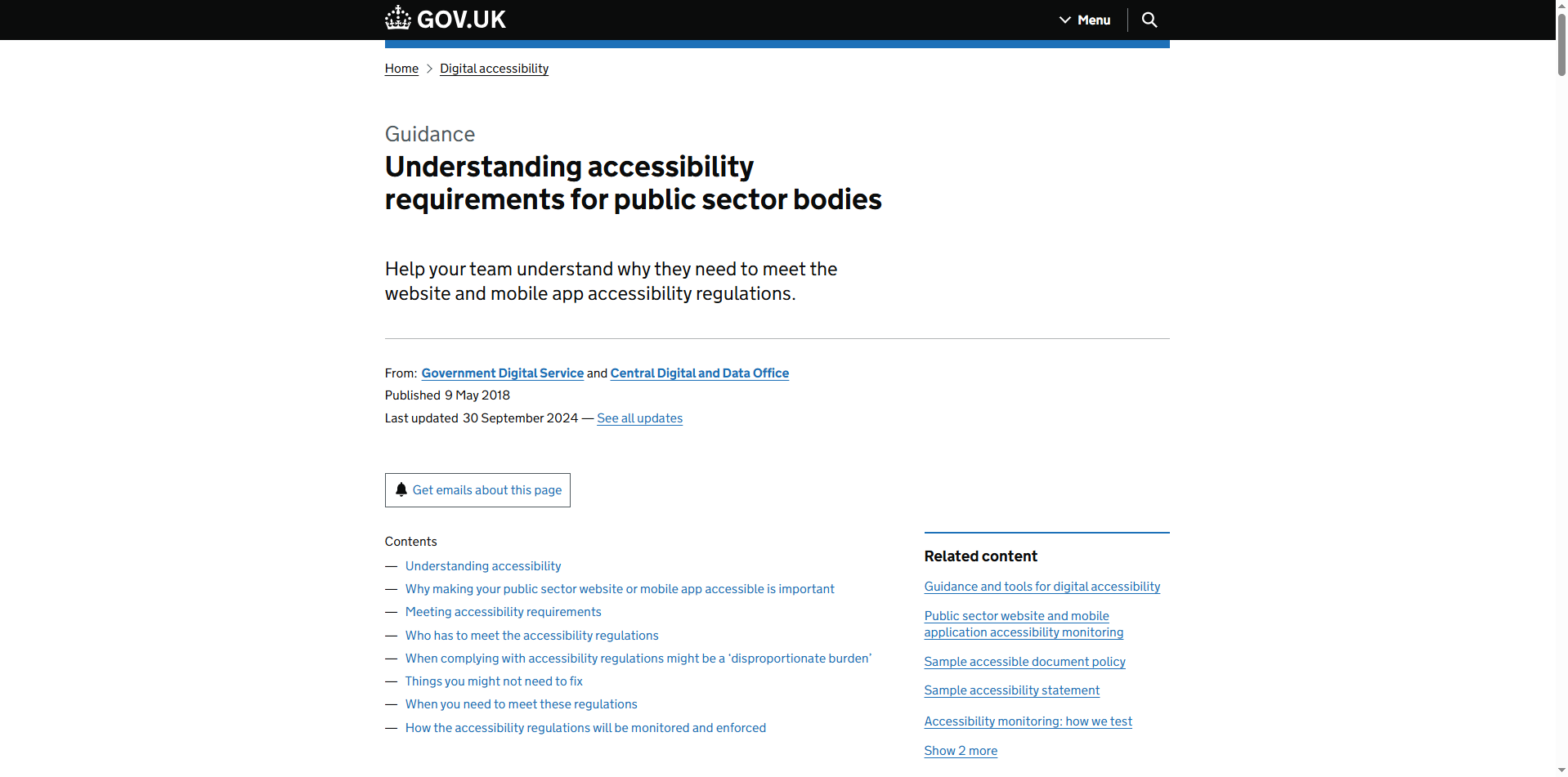
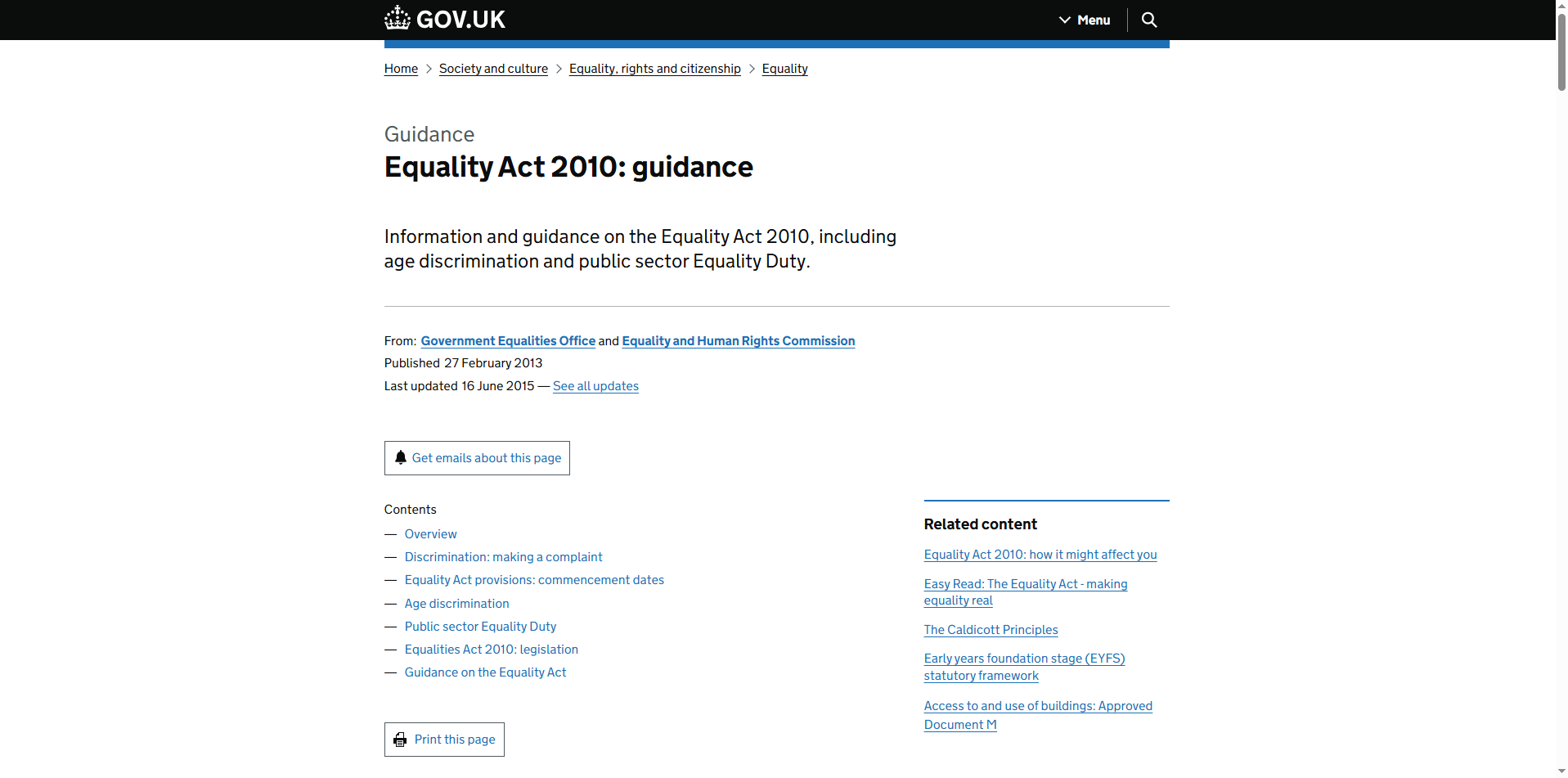
A key driver behind this work has been the Government Digital Service guidance ‘Meeting the requirements of equality and accessibility regulations’. Which focuses on the compliance of the Public Sector Bodies (Websites and Mobile Applications) Accessibility Regulations 2018, which mandates that publicly funded institutions make their digital services accessible to all users, particularly those with disabilities. These requirements align with the principles of the Equality Act 2010, which obligates organisations to make reasonable adjustments to prevent discrimination 🟡CP2 & 🟢CP3. Our course emphasises that such adjustments should be anticipatory, acknowledging that many students may not disclose a disability 🟡CP2.
To support this institutional goal, I also contributed to the implementation and advocation of key assistive technologies within Moodle. These included:
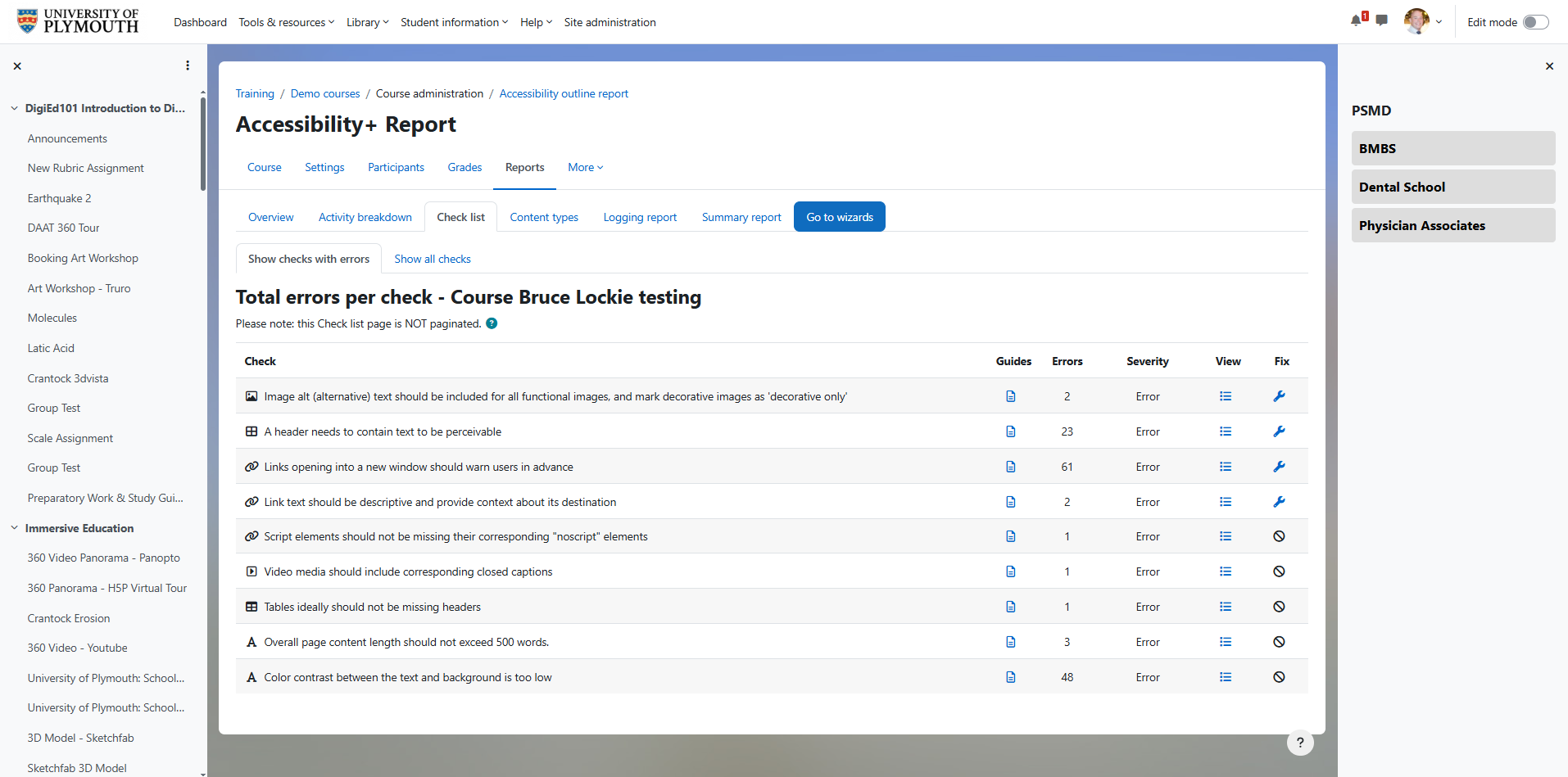
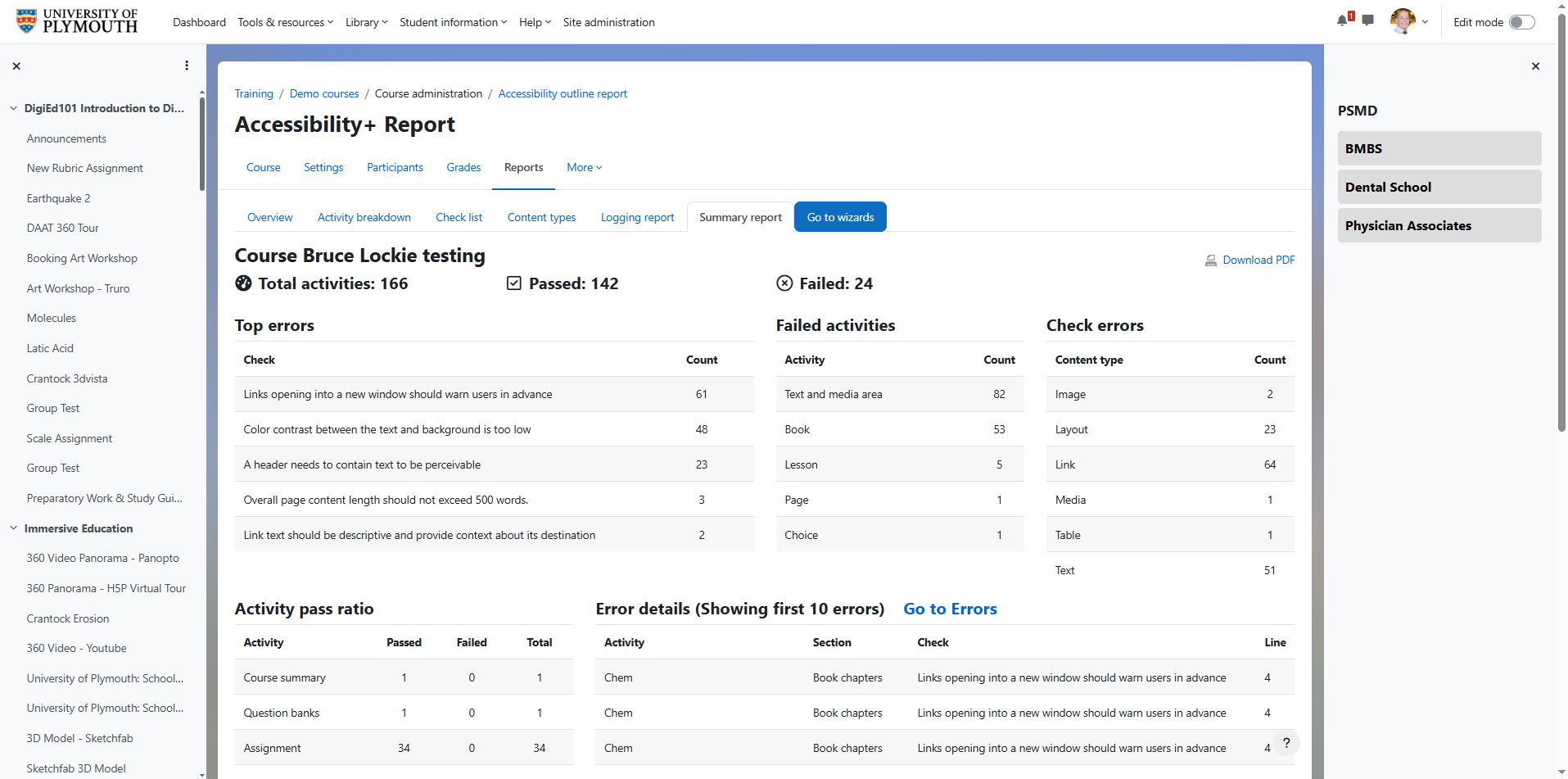
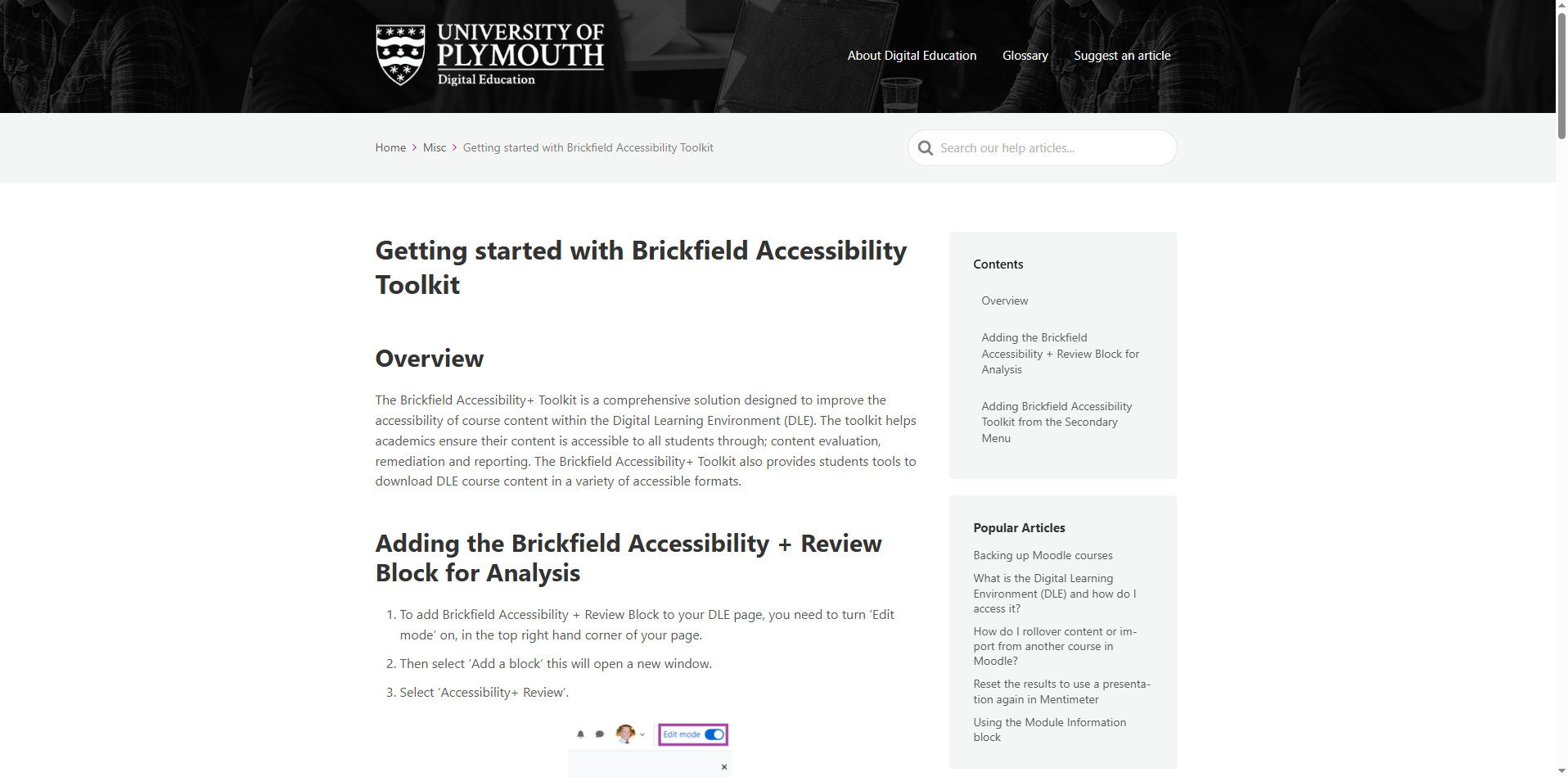
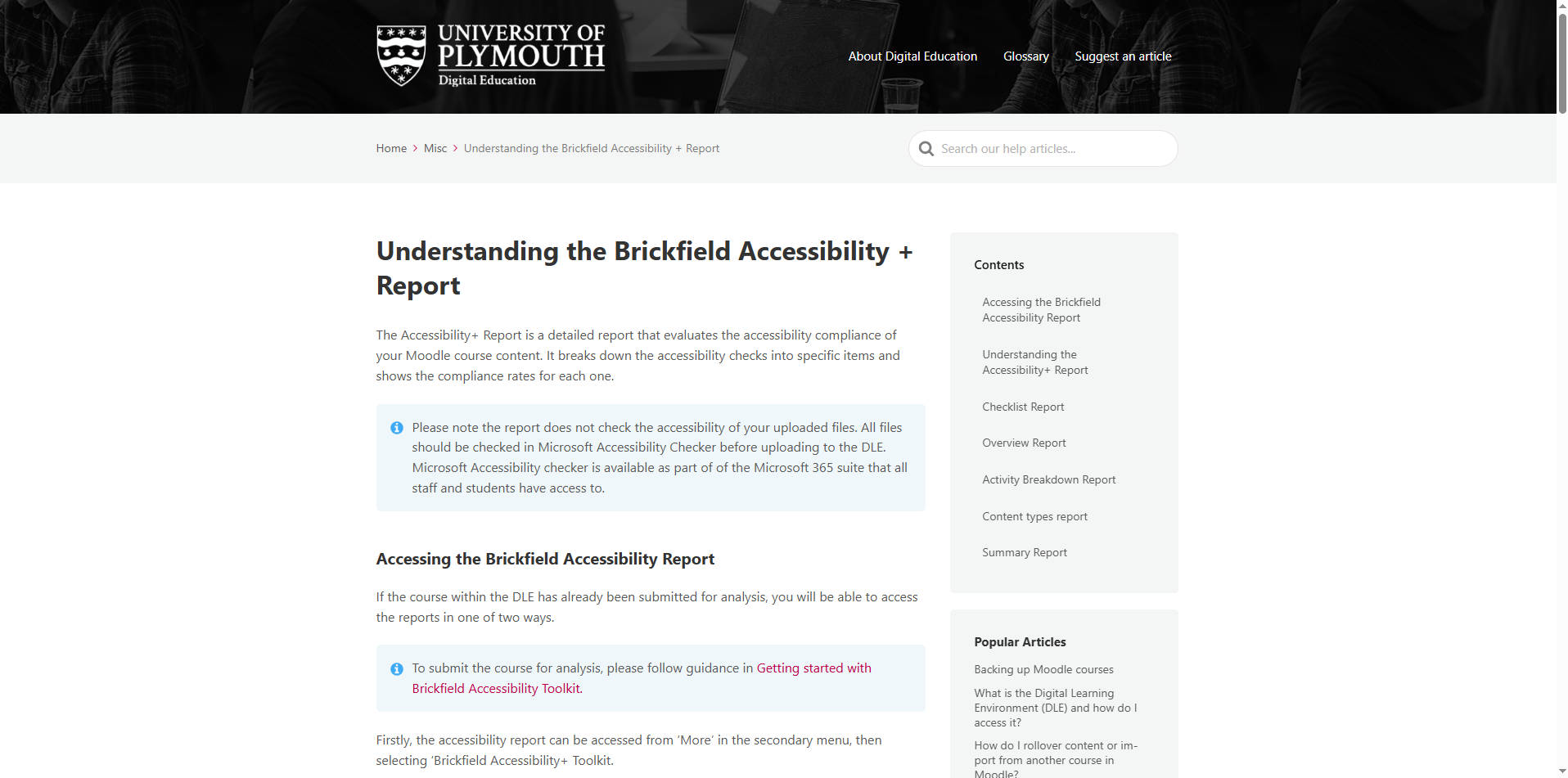
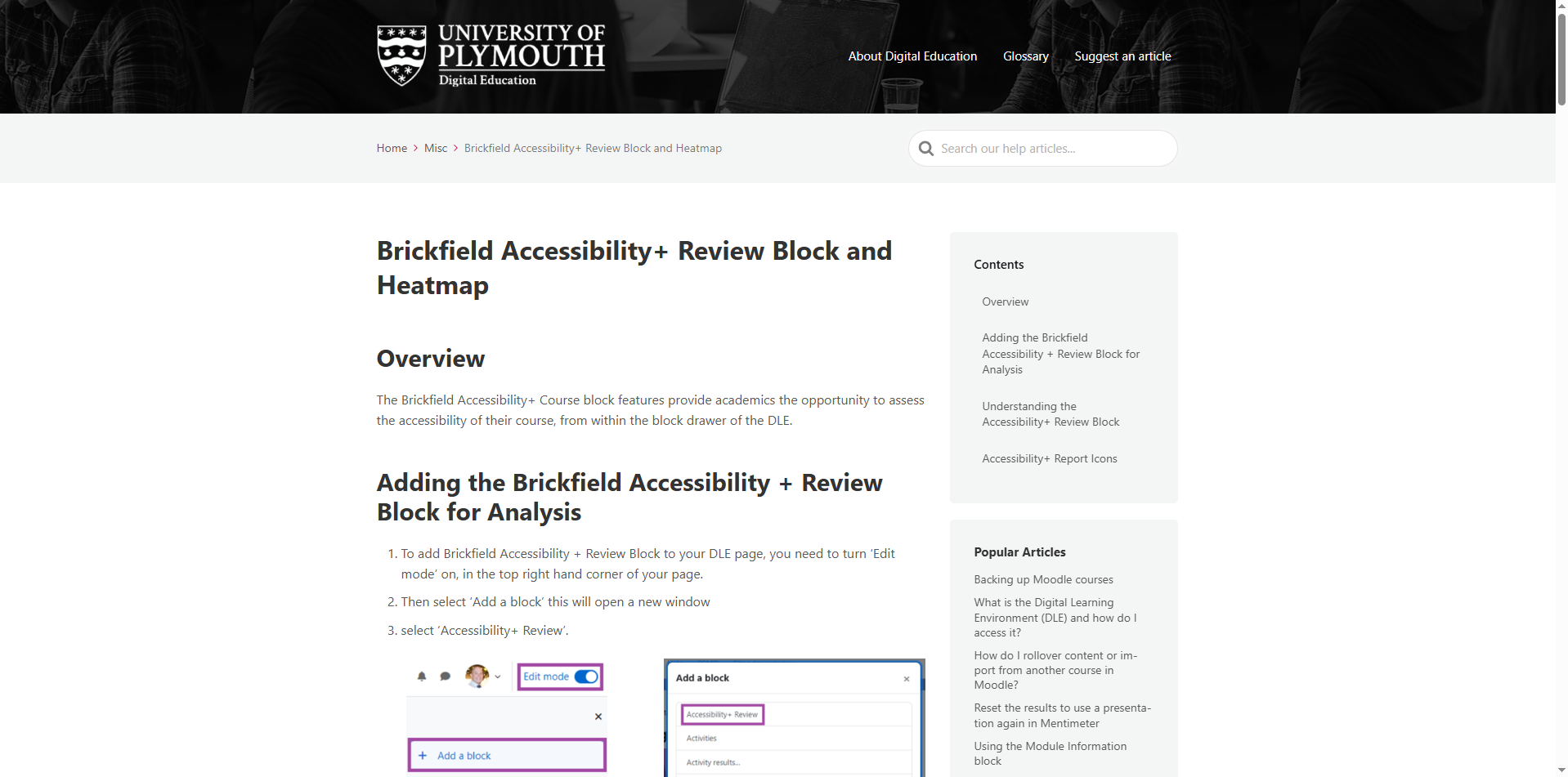
Brickfield Accessibility+ Toolkit, which scans course content and provides recommendations for improving accessibility.
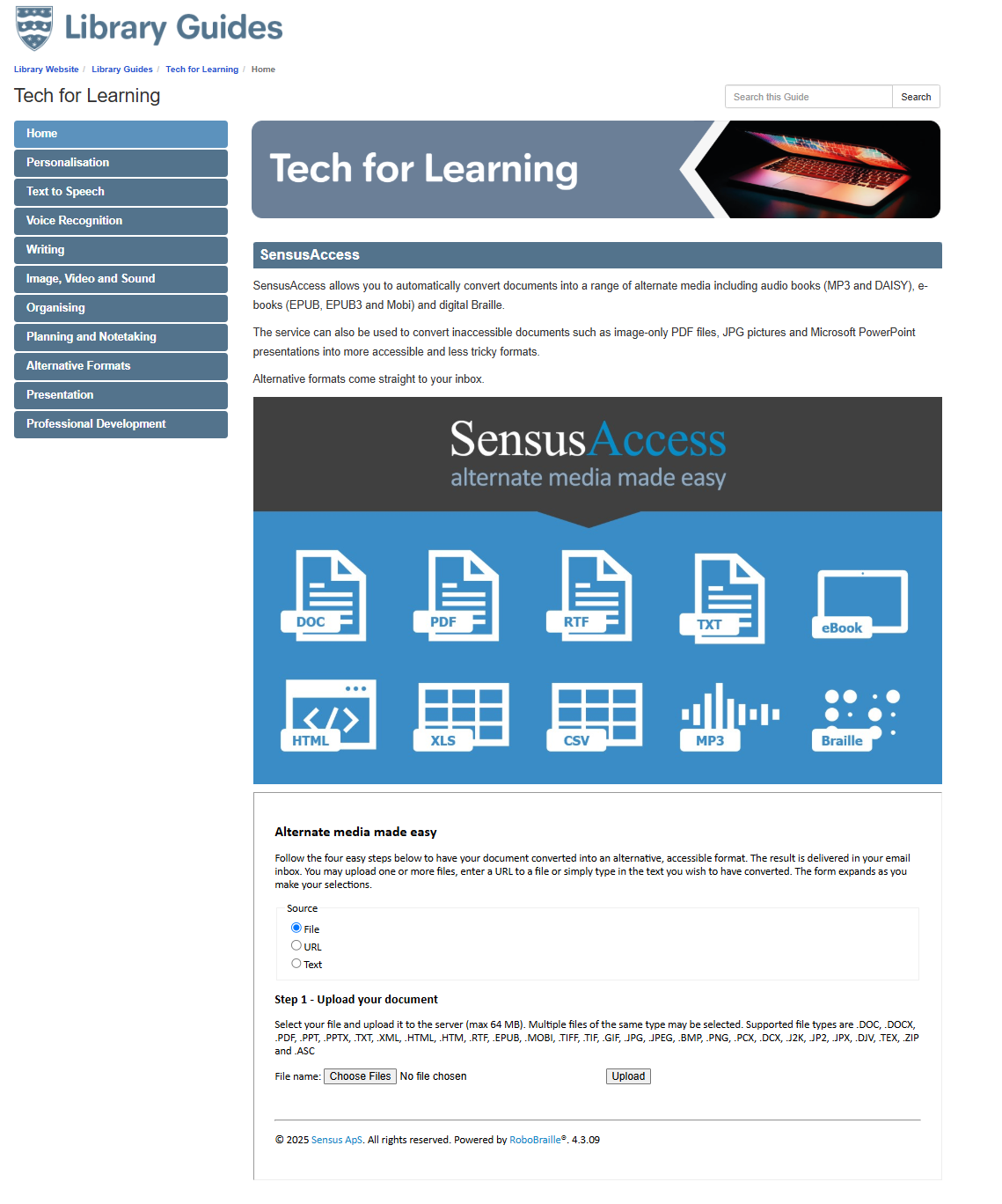
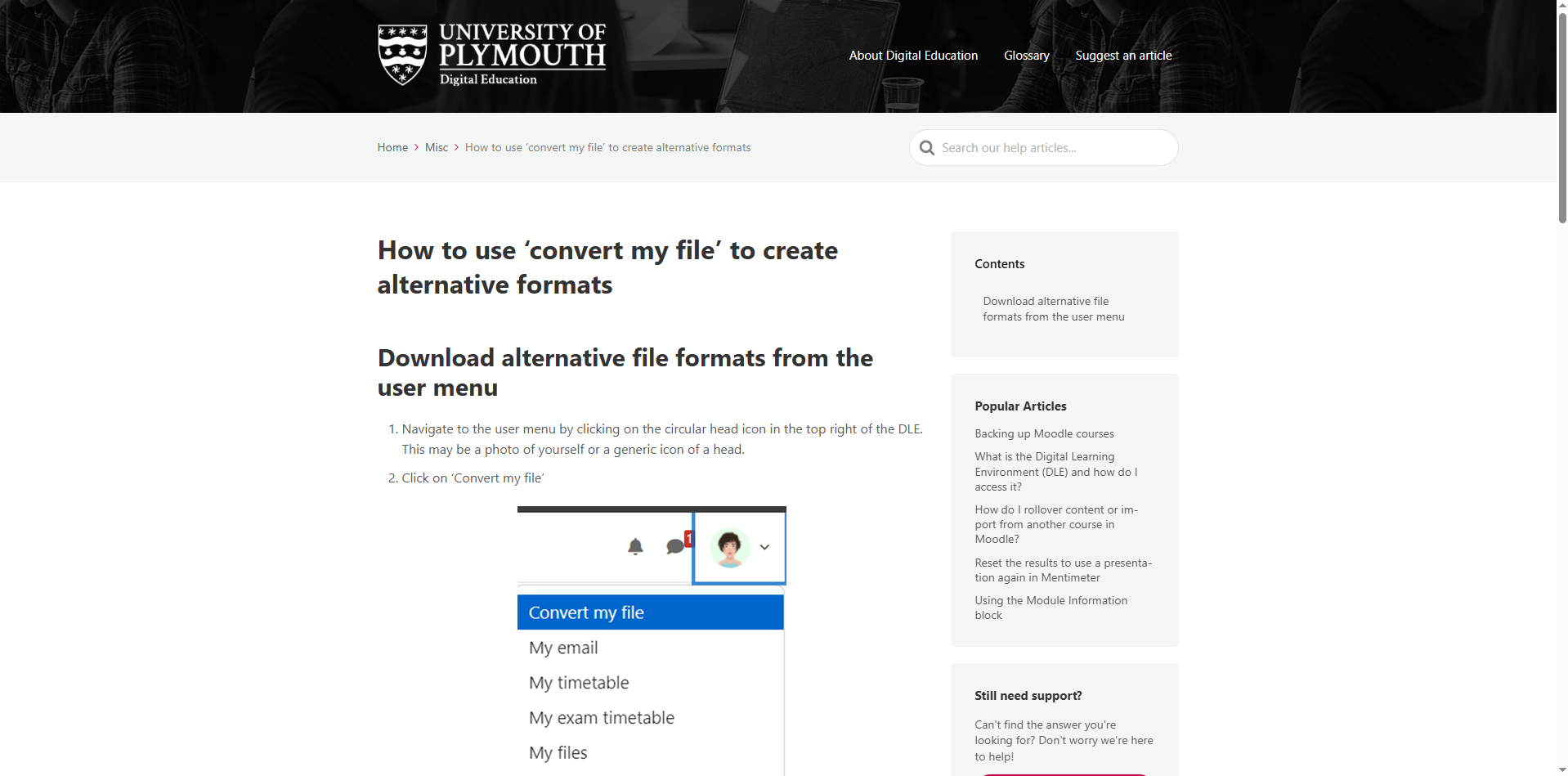
SensusAccess, which allows learners to convert files into alternative formats such as MP3 audio, EPUB, or digital Braille, promoting inclusive access without additional support requests .🟢CP3.
Reflection
This work has significantly shaped my understanding of digital accessibility as both a legal obligation and a pedagogical imperative. The legislation has influenced not just the tools I promote, but also the way I train and support staff 🟡CP2. The anticipatory nature of the regulations reinforces the importance of embedding accessibility into all content from the outset, rather than retrofitting fixes in response to specific student needs 🟢CP3.
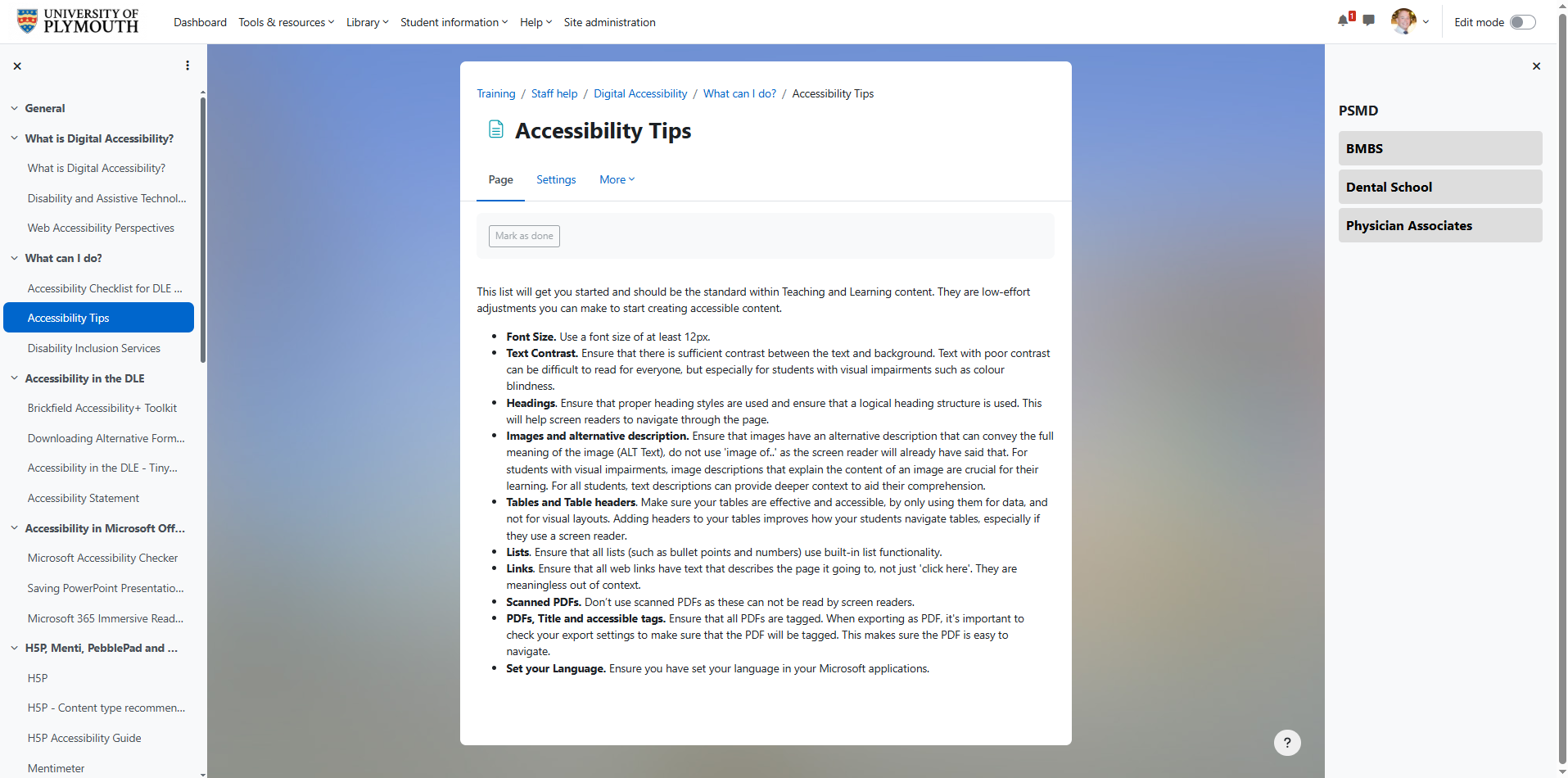
Collaborating with staff to build awareness of their legal responsibilities has been central to this process. For example, the Digital Accessibility course I co-developed includes guidance on applying WCAG 2.2 standards (Web Content Accessibility Guidelines), how to structure Moodle pages using proper heading levels, and the importance of alternative text for images. These seemingly minor design decisions can have a significant impact on the user experience of learners with visual or cognitive impairments 🟡CP2.
By aligning the tools we support with legislative requirements, I am helping to embed inclusive practice at a strategic level within the institution. This ensures that digital environments are not only compliant, but also welcoming and usable by the broadest possible range of students 🟢CP3.
Evidence
Digital Accessibility – Course
These screenshots show the ‘Digital Accessibility Course’ I designed to support staff in understanding and applying accessibility principles in their teaching.
Accessibility – Legislation
These guidance demonstrate my engagement with key UK accessibility legislation, including the Public Sector Bodies (Websites and Mobile Applications) Accessibility Regulations 2018 and the Equality Act 2010. This informs my practice when supporting staff to design accessible content for teaching, learning and assessment, ensuring compliance and inclusive learning experiences.
Brickfield Accessibility +
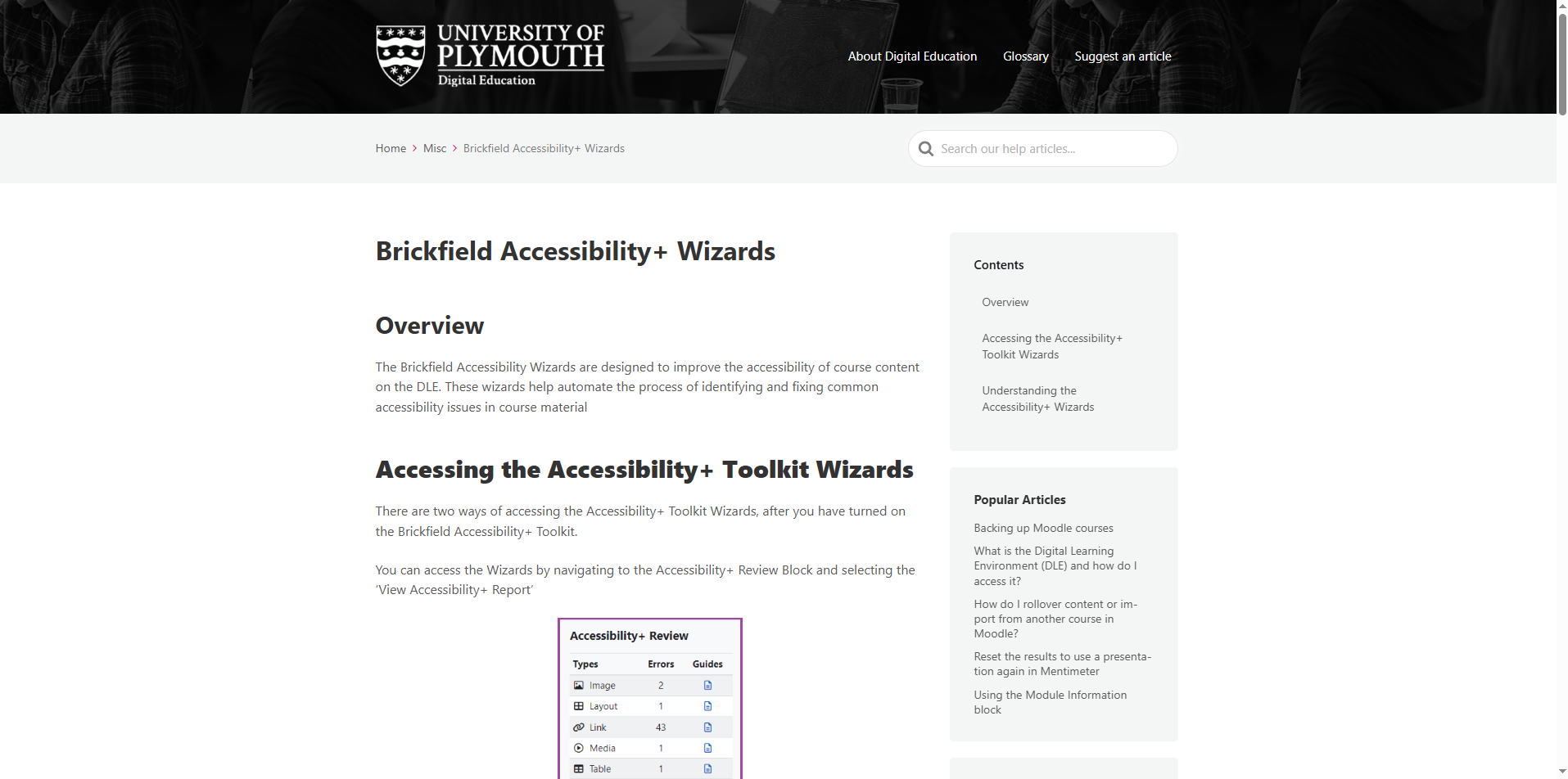
These screenshots show my use of demonstrating Brickfield Accessibility+ reports and wizards to audit Moodle content and support staff in resolving accessibility issues, helping ensure alignment with accessibility standards and legislative requirements.
Brickfield Accessiblity + – Knowledge Base Articles
Knowledge Base articles were created to guide staff in using Brickfield Accessibility+ tools, enabling them to identify and address accessibility issues and improve the inclusivity of their Moodle content
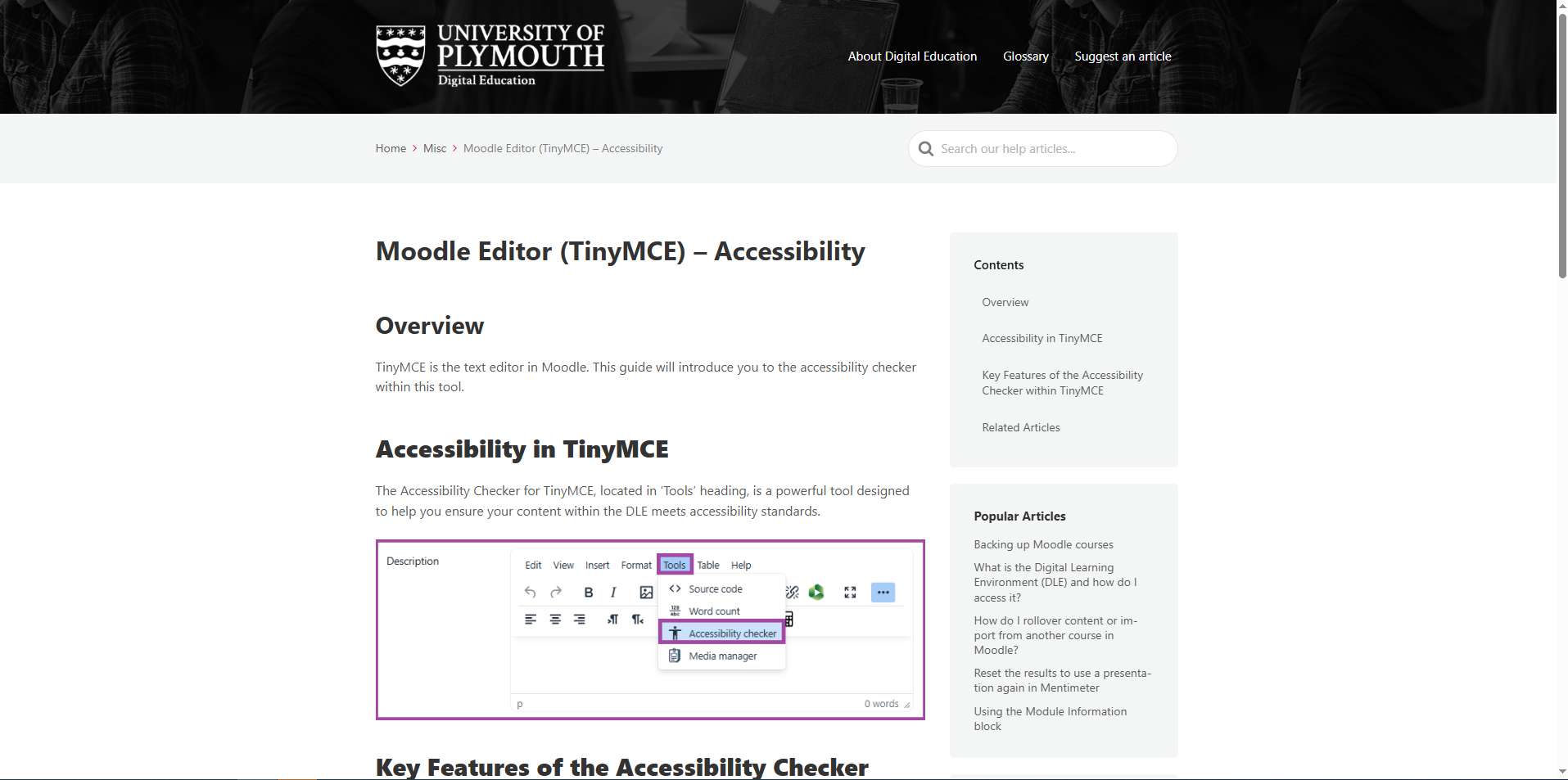
Moodle Editor (TinyMCE) – Accessibility – Knowledge Base Article
Knowledge Base article supports staff in using the Moodle TinyMCE editor to create accessible content, promoting inclusive design practices within everyday teaching activities.
SensusAccess – Including Knowledge Base Article
These screenshots demonstrate the use of SensusAccess and a supporting Knowledge Base article to enable staff to convert learning materials into accessible formats, supporting inclusive practice.
Core Principle Values
🔴CP1: A commitment to exploring and understanding the interplay between technology and learning.
🟡CP2: A commitment to keep up to date with new technologies.
🟢CP3: An empathy with and willingness to learn from colleagues from different backgrounds and specialist areas.
🔵CP4: A commitment to communicate and disseminate effective practice.